Workflow Steps
Full Workflow
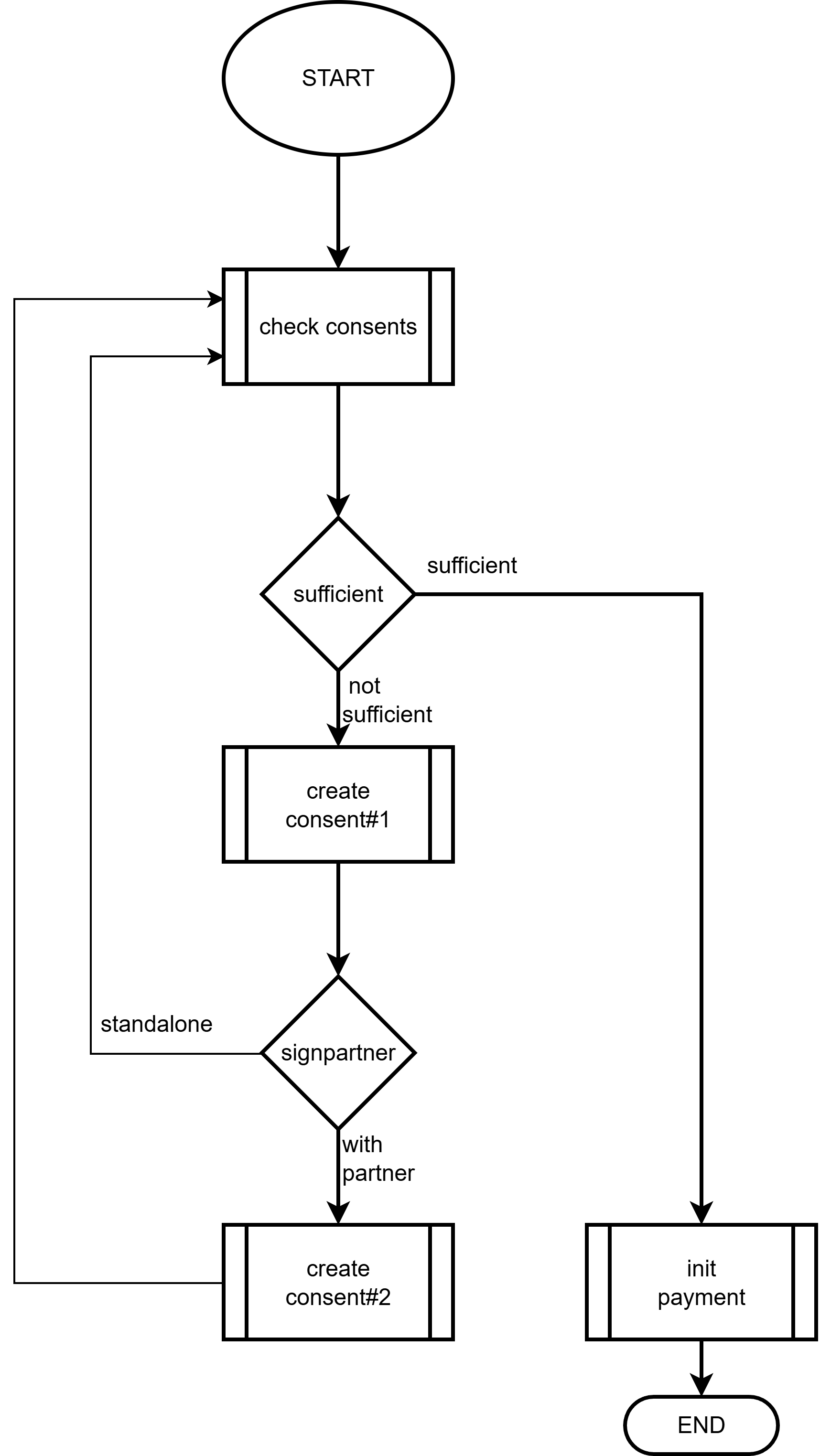
- Selecting consents:
- Select those consents where:
- The account to be used for the transfer (
debtorAccount) is found in the consent account list. - The consent validity period has not yet expired (
expiry). - The consent status is
APPROVED. - The signatory (
signer) in the consent has signing authority on the account to be used for the transfer.
- The account to be used for the transfer (
- If the signatory is a sole signatory, one consent is sufficient.
- If the signatory is a member of a joint signatory pair, you must also find the second consent in which the other member of the pair is the signer.
- Select those consents where:
- If there is no usable consent:
- Before initiating the transfer:
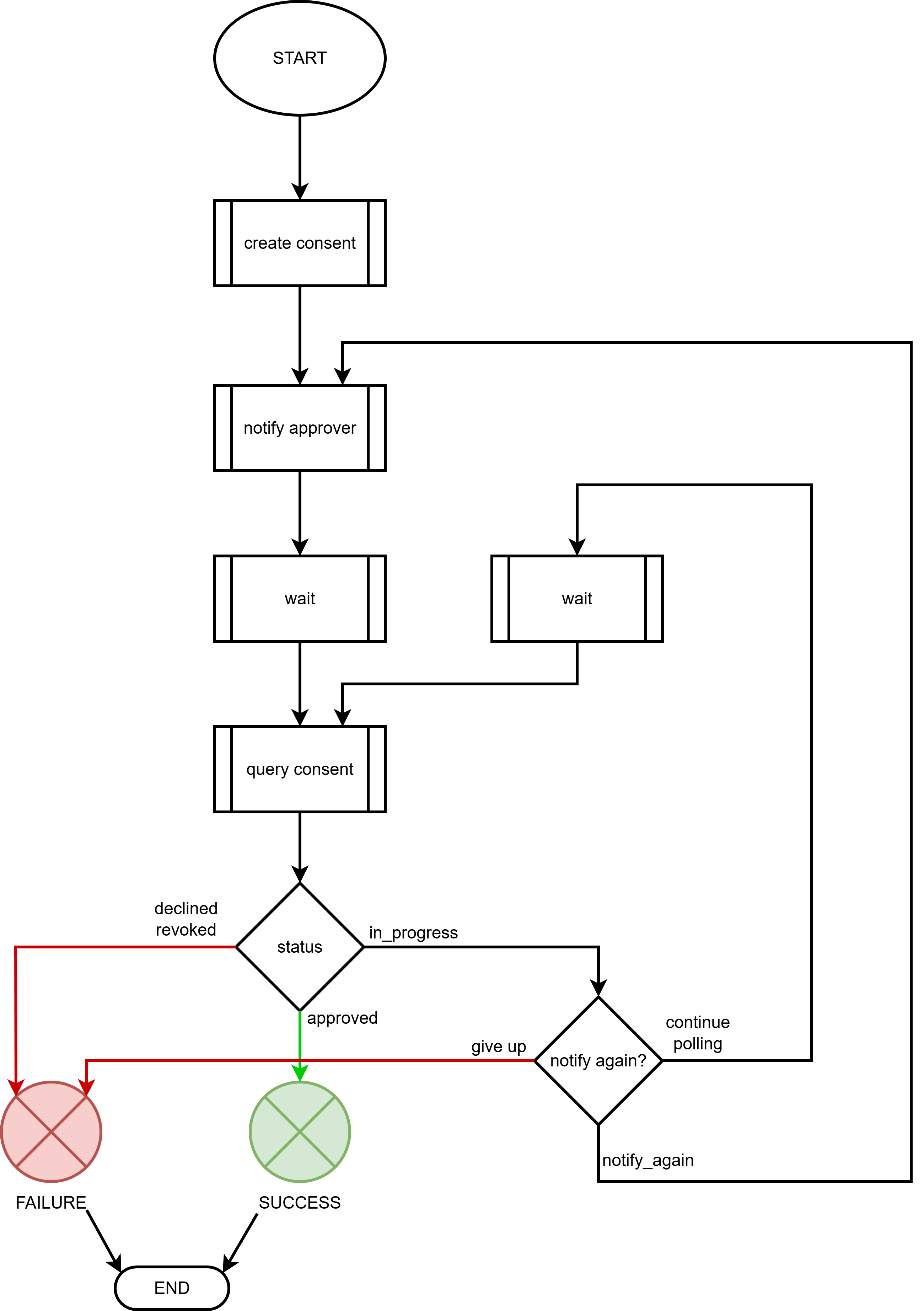
- If there is a consent awaiting approval:
- The approving person must be notified.
- The consent status must be polled.
- If there is no consent awaiting approval:
- Consents must be created.
- If there is a consent awaiting approval:
- Before initiating the transfer:
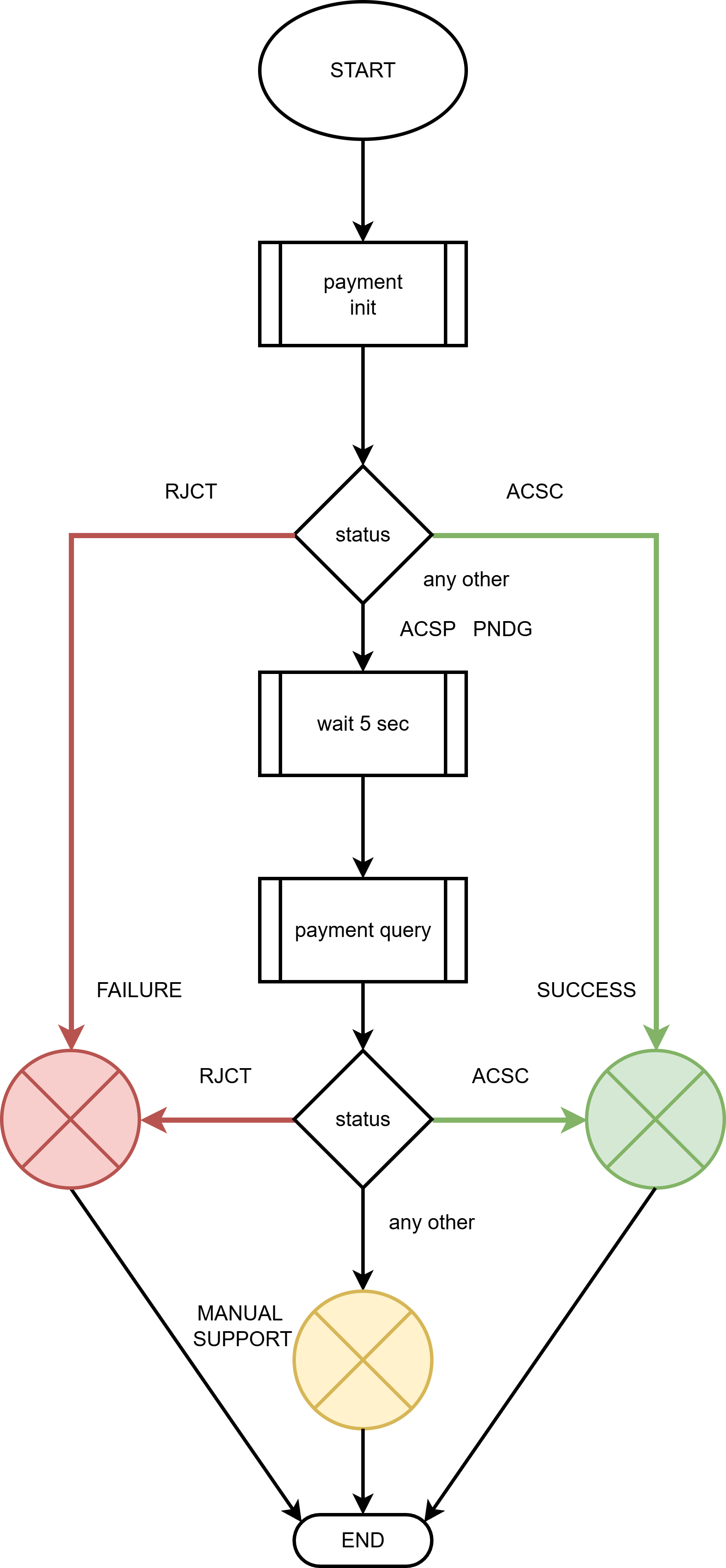
- Submitting the payment and managing its status:
- Submit the payment.
- Evaluate the status from the response:
ACSC– successful.RJCT– an error occurred:- Must be resubmitted.
- If unsuccessful, escalate to support.
PNDG– the transaction became an IG2 transaction, not AFR; final status expected later.ACSP– the transaction became an AFR transaction, but the status must be queried:- Call the
query-paymentAPI operation. RJCT– see above.ACSC– successful.
- Call the
Consent workflow
Payment workflow